








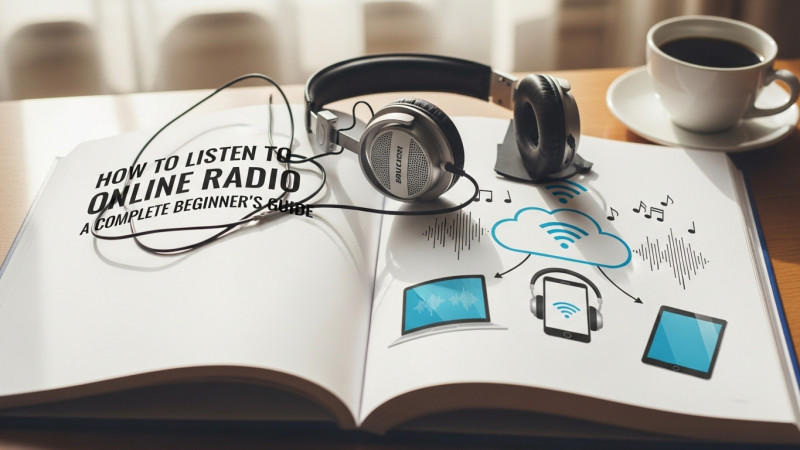
If you have not listened to internet radio yet, you are missing one of the most underrated ways to discover music, stay informed, and connect with cultures from around the world. Online radio is free, requires no subscription, needs no special app in most cases, and gives you access to thousands of stations from every corner of the globe. This guide explains exactly how to get started, what equipment you need, and how to find stations you will actually love.
What Is Online Radio?
Online radio also called internet radio or streaming radio is simply radio that broadcasts over the internet rather than, or in addition to, over traditional AM or FM airwaves. A radio station encodes its audio as a digital stream and sends it to a server, which distributes it to anyone who connects. Your device receives that stream and plays it, exactly as if you were tuned to a traditional radio station.
Some online radio stations are internet-only they exist solely as digital streams with no traditional broadcast license. Others are established AM or FM stations that simultaneously stream online, extending their reach from their local transmission area to the entire world. Both types are available on FreqHub, and both stream with the same simplicity: one click, and the music starts.
What Do You Need to Listen to Online Radio?
The requirements are minimal, which is one of internet radio's greatest advantages over traditional radio.
You need a device with internet access — a smartphone, tablet, laptop, desktop computer, or smart TV all work perfectly. You need an internet connection — a standard broadband or mobile data connection is more than sufficient for most stations. A typical radio stream uses between 32 and 192 kbps of bandwidth, which is a tiny fraction of what a single YouTube video requires. And you need speakers or headphones to hear the audio.
That is genuinely all. No special radio receiver, no subscription, no account, no download in most cases. You do not even need to install an app if you are using FreqHub — simply open your browser, find a station, and press play.
How to Find Stations You Will Actually Like
The most common challenge for new internet radio listeners is not getting started — it is finding stations worth listening to among the thousands of options available. FreqHub makes this easier with several discovery approaches.
Browsing by genre is the most direct approach if you know what kind of music you want. The genre directory on FreqHub lists over 120 genres, from pop and rock to more specific categories like bossa nova, forró, qawwali, and organ music. Each genre page shows all available stations in that category, so you can quickly sample several until you find one that feels right.
Browsing by country is the approach for listeners who are curious about the music and culture of a specific part of the world. Want to hear what commercial radio sounds like in Germany? What public radio sounds like in Japan? What pop music is popular in Mexico City right now? FreqHub's country directory gives you direct access to stations from over 140 countries, all streamable with one click.
Browsing by language is useful for listeners who want programming in a specific language — whether that is their mother tongue or a language they are learning. FreqHub lists stations in over 100 languages, making it a surprisingly effective tool for language learners who want immersive audio exposure.
How to Save Your Favorite Stations
Once you find stations you love, FreqHub's favorites feature lets you save them for quick access. Click the heart icon on any station page to add it to your favorites list. Your saved stations are stored in your browser and accessible from the favorites page, so you can return to your preferred stations without having to search again each time.
The listening history feature automatically keeps track of stations you have recently played, making it easy to return to something you enjoyed earlier even if you forgot to save it as a favorite.
Internet Radio vs Music Streaming Apps
A question many people ask is: why listen to internet radio when I already have Spotify, Apple Music, or YouTube Music? It is a fair question, and the honest answer is that they serve different purposes.
Music streaming apps give you on-demand access to recorded music — you choose what to play, when to play it, and in what order. Internet radio is live — a real person or programmed schedule is deciding what plays next, and you are listening along with potentially thousands of other people at the same time. That shared, live quality creates a fundamentally different experience.
Radio is also about discovery in a different sense. An algorithm recommends music similar to what you already know. A good radio station plays music you did not know you would love. Many listeners find their most significant musical discoveries come from following a knowledgeable human programmer into unfamiliar territory rather than following an algorithm deeper into the familiar.
| Feature | Internet Radio | Music Streaming Apps |
|---|---|---|
| Cost | Free | Usually subscription |
| On-Demand Playback | No (live) | Yes |
| Discovery Method | Human curation | Algorithm |
| Live / Real-Time | Yes | No |
| Number of Stations | Thousands | N/A |
| Sign-up Required | Usually no | Yes |
Best Devices for Online Radio
Almost any internet-connected device works for online radio, but some setups are better than others depending on how you listen.
For listening at a desk or in a home office, a laptop or desktop computer is ideal. You can leave a tab open with FreqHub playing in the background while you work, and the audio quality through good speakers or headphones is excellent.
For listening on the go, a smartphone is the obvious choice. FreqHub works in mobile browsers on both iOS and Android without requiring any app download. The FreqHub mobile interface is optimized for smaller screens.
For listening in the home through better speakers, a smart speaker — Amazon Echo, Google Nest, Apple HomePod — can play internet radio stations, though you may need to find the specific station's stream URL to add it. Some smart speakers work with TuneIn or similar apps that aggregate internet radio stations.
For the car, many modern vehicles with internet-connected infotainment systems can access internet radio directly. Alternatively, connecting your smartphone to your car's audio system via Bluetooth and playing through FreqHub works perfectly well.
Is Online Radio Really Free?
Yes — the vast majority of internet radio stations broadcast for free to all listeners. This is the same model as traditional AM and FM radio, where broadcasting is funded by advertising revenue and the listener pays nothing. Some premium services exist that offer ad-free listening or additional features for a subscription fee, but free listening is the standard.
FreqHub is completely free to use. Browse, discover, and stream thousands of stations without creating an account, entering payment information, or downloading anything. Radio has always been free, and internet radio continues that tradition.
Start Listening Today
The best way to understand what internet radio can offer is simply to try it. Browse FreqHub's genre directory, pick a category that interests you, and spend twenty minutes with a station you have never heard before. The chances are good that you will discover something unexpected — a style of music you did not know you liked, a radio culture from a part of the world you had never considered, or a station that becomes a daily companion. That is what radio, in all its forms, has always been best at.